So let’s get started as we look at some very basics of fight scenes and fighting information in general. The very first thing to remember with ALL fight scenes is…
Recently, a friend of mine emailed a question about how to let the reader in on what another character other than the main character is feeling. I promptly answered, and then realized it would also make a great topic for a blog post. I haven’t touched on emotional writing for awhile, so here we go. Let’s dive into how to become an emotional writer.
Ever read or written a sentence like this…..
“You can’t be serious? How could you do that? Roger replied angrily.
OR
“Wow. Would you look at that?” Madison said. I could tell she was surprised.
On the surface there’s nothing really wrong with these sentences. But from a creative writing standpoint, well… they aren’t that spectacular either. Mostly, because these sentences are telling the reader what’s going on instead of showing it. The reader doesn’t want to be told how the characters are feeling, they want to feel it for themselves. One of the best way to accomplish this is to give emotional cues.
I’ve been using Evernote for a few years now. It’s a free software that can be downloaded (there’s a premium addition that costs a little, but the free version works for my needs), and I have found it invaluable to help me keep track of notes on characters, world building items, notes for blogging, and even notes for my web design stuff. I can also paste images into a note or website address. Heck, I’ve even used Evernote to write and store snippets of scenes so I can keep them in a safe place until it’s time to put the snippets in the actual story.
Evernote is great because if I have a stray thought I want to make sure I keep, I open up the program (though usually it stays open in the backdrop) and just type the thought real quick and get back to work. I also have the Evernote app loaded on my phone, so if I am away from my computer I can jot that urgent piece of information down and I am good to go. And the best part about Evernote, is that it saves everything automatically. No need to hit the save button!
Granted, I’ve had the program installed on my computer for awhile, but it hasn’t been until the last few months that I’ve really put it to use and I wonder why I never used it as much before. Maybe I’m taking more notes and they are more on the fly than before? Maybe since I’ve gotten back into web designing my head is everywhere all at once and it’s hard for me to keep track of everything? Don’t know exactly, but without keeping notes, I’d be totally lost by now.
So if you are having a hard time keeping track of notes or are looking for a good note taking software, I highly suggest this program. I love it and am glad to have it as a tool in my writing tool box.
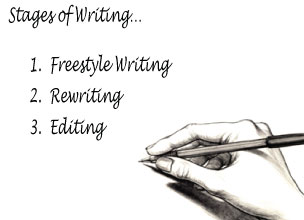
The first thing to learn in the writing journey is that not all writing is the same. There are several types or stages of writing, and each of them requires a certain mindset and set of skills to accomplish them. And just because you’re good at one type of writing, doesn’t make you good at the other types, and making the transitions to each can be difficult to accomplish or there might be difficulty in determining when to make the transition.
Freestyle Writing
This is the kind of writing most people assume writers do (but in reality it’s just the first step in a larger process). It’s the fun stuff. The part were you let everything just explode out of your head and onto the page. It’s an everything goes kind of thing where no idea is a bad idea and anything can happen. It can be a most uplifting experience, especially if you’ve done a lot of thinking about the story before ever placing pen to paper. If you’ve been there, you know what I mean. It’s where that thing called a writer’s high happens, and it’s a great place to be!
This writing stage doesn’t require a whole lot of special knowledge. Just an idea of what makes a good story, what makes compelling characters, and how to write a beginning, middle and end of a story. Much of this can be learned simply by being an avid reader, or taking some writing workshops on story structure and character development.
Last week, I talked about writing filers and how helpful they can be to lessen the blow of all that work needing to be done on the freshly finished first draft. After using the Big Picture Filters, now it’s time to polish it up with the Finer Details. There are also ten major topic areas to look at while sprucing up story to completion, they include: spelling/grammar/punctuation, emotion, style, fact checking, word choices, sentence construction, rhythm, time, clarity, and tone.
Note: These details should be left to later drafts. Messing around with these topics before getting the basic structure of the story done is a quick way to the biggest headache of your life, and it will make a lot of extra unnecessary work.